
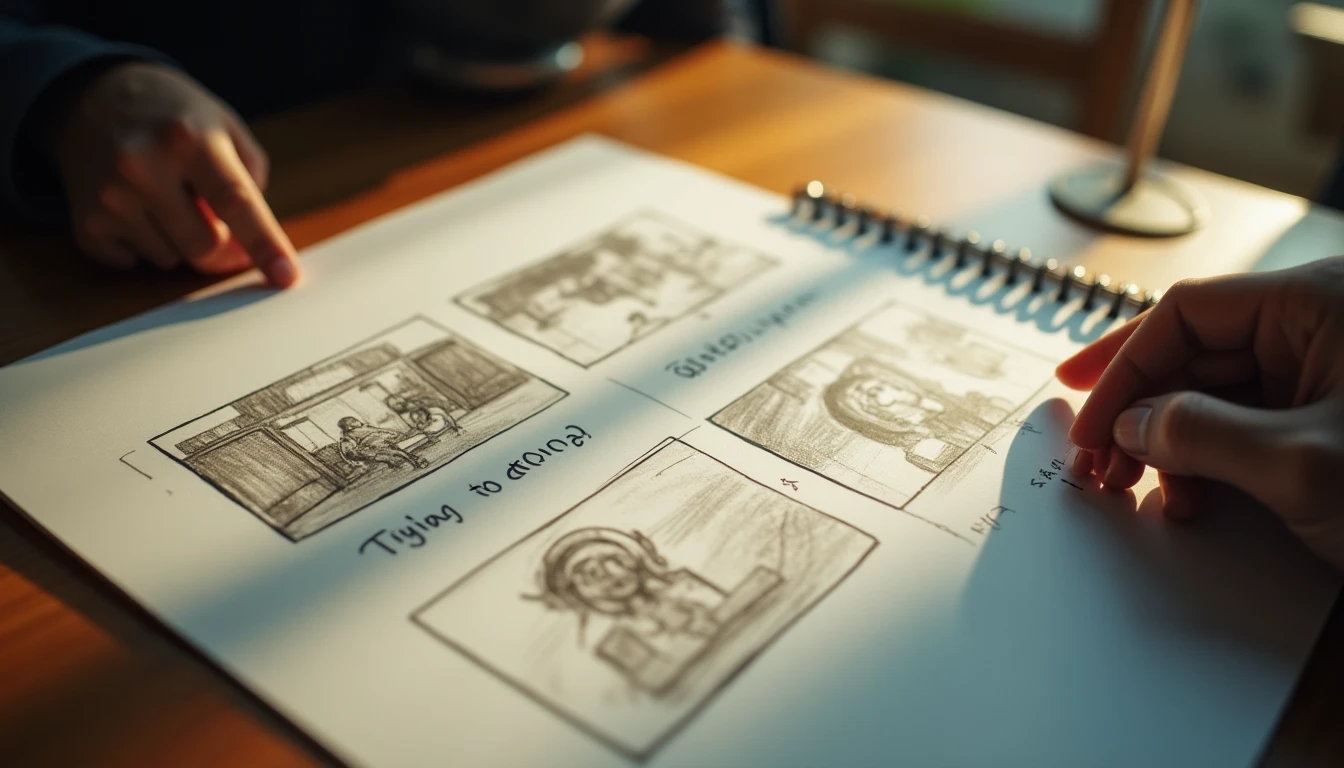
Last month, we were working on a promotional video for a small food business in Semarang. The client had an interesting visual idea, but it was hard to explain in words alone. That is where our simple storyboard came to the rescue. No detailed drawings needed: rough sketches on paper were enough to get us and the client on the same page before the camera rolled.
Making a stunning video isn't only about technical skill on location. Planning up front is the main foundation. One of the most effective planning tools is the storyboard.
What Is a Storyboard?
Simply put, a storyboard is a series of sketches or visual representations of every shot to be filmed in a video. Think of it as a comic that tells the visual flow of your video. Each storyboard panel represents one scene or one key frame.
Why Does a Storyboard Matter?
You might think, "Why bother drawing when I can just start shooting?" But a storyboard serves several crucial purposes that can make the production process much smoother:
- Aligning the Team and the Client on One Vision: This is the most important. A storyboard becomes a shared visual language everyone agrees on. What is in the heads of the director, the cinematographer, the client, and the rest of the team can be visualized in one place. This reduces the risk of misinterpretation that often happens with verbal communication alone.
- Saving Shooting Time: With a storyboard, you know exactly which shots you need. The team doesn't have to scramble to decide angles, composition, or camera movement on location. Every minute on set becomes more productive. Imagine shooting in a busy Kota Lama, Semarang. Finding the right moment without interruptions is precious.
- Serving as a Shot Checklist: A storyboard works as a guide during the shoot. Every shot that has been captured can be ticked off. This makes sure no important scene is missed, especially when you are working on a project with many shots or different locations.
A Storyboard Doesn't Have to Be Artistically Perfect
This is an important point that is often misunderstood. You don't need to be a painter to make a storyboard. Drawing quality isn't the main priority. What matters most is that the visual message comes across.
Use rough sketches, pencil scribbles, even reference photos from the internet (keeping copyright in mind if it will be published). What matters is that every panel gives a clear picture of:
- Visual Description and Composition: What is on screen? The main subject, the background, how those elements are arranged in the frame (for example, a close-up of a face, a medium shot of the whole body, a wide shot of the Tugu Muda monument).
- Camera Movement: Is the camera still (static shot), moving forward/back (dolly in/out), sideways (trucking), rotating (pan/tilt), or zooming?
- Estimated Duration: How long will this shot be on screen? The estimate helps with the video's pacing.
- Audio or Narration: What will be heard? Dialogue, background music, sound effects, or voice-over? This matters so the visuals and audio stay in sync.
How to Make an Effective Storyboard
Making a storyboard usually follows this logical flow:
- Start From a Script or Outline: If you already have a full script, great. If not, start from an outline or the key points you want to get across.
- Break It Into Scenes: Divide the story into several big scenes. Each scene usually takes place in one location or at one particular time.
- Break Scenes Down Into Shots: Within each scene, decide the specific shots needed to tell it. Think about the most effective angles, composition, and camera movement.
- Draw Every Shot: Sketch or visualize every shot you have decided on. Add a short description of the action, dialogue, and audio elements in that panel.
Simple Tools for Making a Storyboard
You don't need expensive software to get started. Here are a few options you can try:
- Paper and Pencil/Pen: The most classic, cheapest, and fastest way. Grab a notebook or plain printer paper and start drawing. You can use graph paper to help with composition.
- Free Apps on Your Smartphone/Tablet: There are plenty of free apps you can use. Examples include StoryBoarder (desktop, free), Canva (has storyboard templates), or even a regular drawing/notes app. Just search for "storyboard app free" in your app store.
- Reference Photo Collage: If drawing isn't your strength, you can look for reference images online (for example on Pinterest or Google Images) that represent the composition or scene you want. Arrange these images in a logical order and add short notes.
When Is a Shot List Enough?
For very simple videos, like short event documentation or simple B-roll, a shot list (an ordered list of shots without drawings) is sometimes enough. But for a company profile video, a promotional video, or a complex narrative, a storyboard offers bigger benefits.
The time you invest up front in a simple storyboard pays off on shoot day: the team isn't guessing at angles, the client isn't surprised by the result, and no important scene turns out to be missing only once you are in the edit. A storyboard isn't about being able to draw — even rough sketches on paper are enough, as long as each panel answers three things: what is seen, how the camera moves, and what is heard. For more complex videos like a company profile, that visual map is what keeps the production on track.
Need a visual production team for a project in Semarang? Labstory is a production house based in Semarang. See the Labstory portfolio for examples of our work, or get to know our team and our approach.
FAQ
What is a storyboard?
A storyboard is a series of sketches or visual representations of every shot to be filmed in a video. It works like a comic that tells the visual flow.
Why is a storyboard important in video production?
A storyboard is important for aligning the team and the client on one vision, saving shooting time because everything is already planned, and serving as a shot checklist so nothing gets missed.
Does a storyboard have to be well drawn?
No. Drawing quality is not the main priority. Rough sketches, scribbles, or reference photos are enough as long as the message comes across clearly.
What should every storyboard panel include?
Each panel should include a visual description and composition, camera movement, an estimated shot duration, and the accompanying audio or narration.
When is a shot list enough without a storyboard?
A shot list alone is sometimes enough for very simple videos, like short event documentation or B-roll. For complex narrative or promotional videos, a storyboard is more recommended.

Leave a Reply